
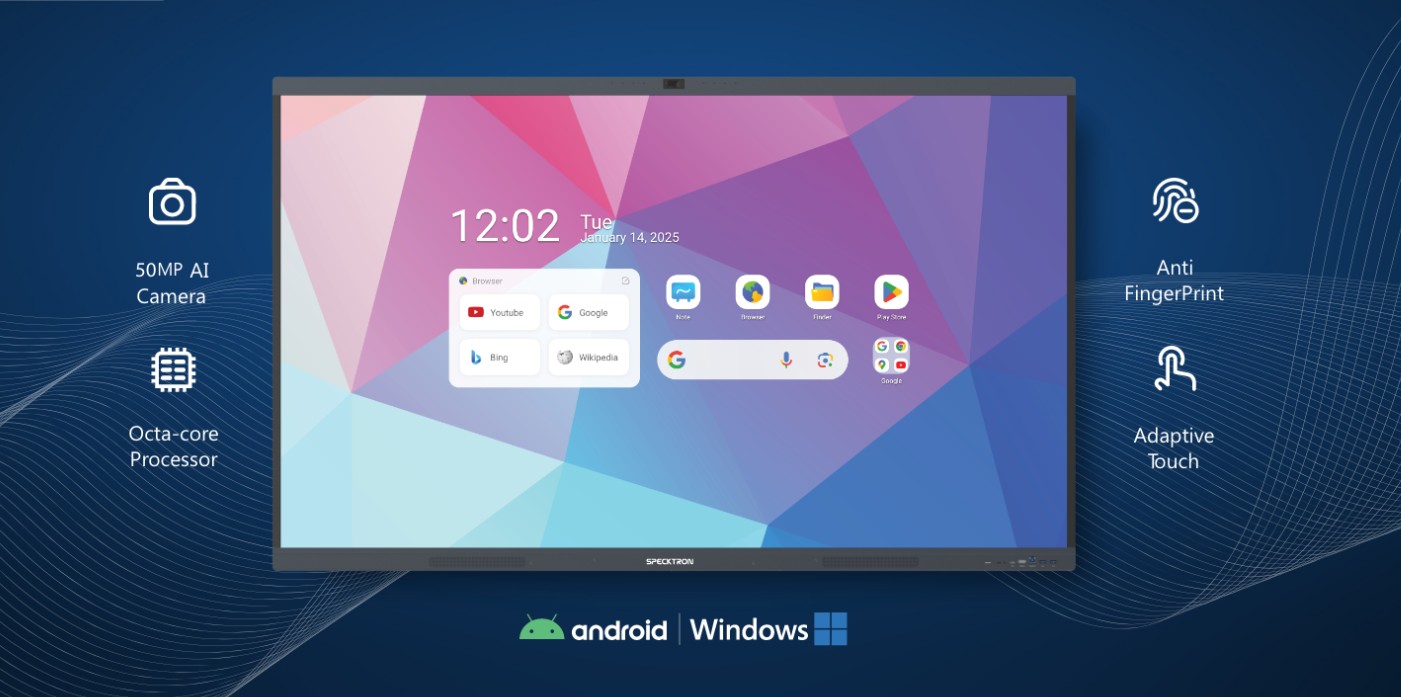
Modern workplaces and learning environments rely on seamless communication, real-time collaboration, and efficient information sharing. Traditional presentation tools are no longer enough to support the growing demand for interactive and engaging discussions. As a result, interactive displays have become an essential solution for businesses, educational institutions, training centers, and public spaces.
We use interactive displays to simplify meetings, improve teamwork, and create engaging learning experiences. With touch-enabled technology, wireless connectivity, and digital collaboration tools, these displays help users work together more effectively while reducing dependence on traditional whiteboards and projectors.
What Are Interactive Displays?
Interactive displays are large touch-enabled screens designed for collaboration, presentations, and digital communication. They allow users to write, draw, annotate, share content, and interact directly with on-screen applications using fingers or stylus pens.
Unlike conventional displays, interactive displays combine advanced touchscreen technology with high-resolution visuals, making communication more engaging and productive.
These displays support multiple users simultaneously, allowing teams and students to collaborate in real time without interruptions.
Why Interactive Displays Are Transforming Collaboration
Organizations are embracing digital transformation, and collaboration plays a key role in achieving greater efficiency. Interactive displays provide an all-in-one solution that combines presentation, communication, and teamwork in a single device.
Some of the biggest advantages include:
Real-time collaboration
Multi-touch functionality
High-quality image clarity
Wireless screen sharing
Digital annotation tools
Easy content sharing
Remote meeting support
Improved productivity
By bringing people together around one interactive platform, these displays make collaboration smoother and more engaging.
Enhance Team Collaboration in Modern Workplaces
Today’s workplaces often include hybrid teams working from different locations. Interactive displays help bridge this gap by enabling smooth communication between in-office and remote employees.
We can easily:
Present ideas visually
Edit documents together
Annotate presentations instantly
Brainstorm using digital whiteboards
Share screens wirelessly
Conduct productive video meetings
This creates a collaborative environment where every participant can contribute regardless of location.
Improve Classroom Learning Experiences
Interactive displays have transformed modern classrooms by making lessons more engaging and interactive.
Teachers can:
Present multimedia lessons
Write directly on digital content
Save classroom notes
Display educational videos
Encourage student participation
Conduct interactive activities
Students benefit from visual learning, collaborative exercises, and hands-on interaction with lesson materials.
Instead of passively watching presentations, learners actively participate throughout the session.
Simplify Presentations and Meetings
Business presentations become more effective when presenters can interact directly with the displayed content.
Interactive displays allow us to:
Highlight important information
Zoom into documents
Annotate charts
Explain complex ideas visually
Navigate presentations smoothly
These capabilities improve audience engagement while making meetings more productive.
Wireless Screen Sharing Makes Collaboration Easier
Modern workplaces rely on multiple devices, including laptops, tablets, and smartphones. Interactive displays support wireless screen sharing, allowing users to present content without connecting physical cables.
Participants can quickly display:
Business reports
Project updates
Financial dashboards
Product demonstrations
Training materials
This flexibility helps meetings start faster and reduces technical interruptions.
Digital Whiteboarding for Creative Discussions
Traditional whiteboards have limited functionality and cannot save written content easily.
Interactive displays include digital whiteboarding features that enable users to:
Draw diagrams
Create flowcharts
Brainstorm ideas
Organize project plans
Save meeting notes
Share annotations instantly
This makes collaboration more organized while ensuring valuable information is never lost.
Support Hybrid Meetings with Ease
Hybrid work has become a standard practice across many industries. Interactive displays integrate with video conferencing platforms, helping remote and on-site participants collaborate effectively.
Users can:
Share presentations
Join virtual meetings
Annotate shared documents
View participant screens
Collaborate on projects simultaneously
Everyone remains connected throughout the meeting, regardless of their location.
High-Quality Visual Performance
Visual clarity plays an important role in communication. Interactive displays offer high-resolution screens with vivid colors and sharp images.
This improves the viewing experience for:
Business presentations
Training sessions
Educational content
Engineering drawings
Marketing campaigns
Data visualization
Clear visuals ensure every participant can understand the presented information.
Easy Content Management
Managing presentation materials becomes much simpler with interactive displays.
Users can quickly access:
USB devices
Internal applications
Online resources
Shared folders
This allows presenters to switch between content sources without interrupting the discussion.
Applications Across Multiple Industries
Interactive displays are suitable for a wide range of professional environments.
Corporate Offices
Businesses use interactive displays for:
Team meetings
Project planning
Client presentations
Video conferencing
Training programs
These displays improve communication while encouraging collaborative decision-making.
Education
Schools, colleges, and universities use interactive displays to support digital learning environments.
They enhance:
Classroom engagement
Interactive lessons
Group activities
Online learning
Student collaboration
Teachers can create more dynamic learning experiences while simplifying lesson delivery.
Training Centers
Professional training organizations rely on interactive displays to conduct workshops, demonstrations, and certification programs.
Participants engage directly with learning materials, resulting in better knowledge retention.
Healthcare
Hospitals and medical institutions use interactive displays for:
Staff training
Patient education
Medical presentations
Conference discussions
These displays simplify information sharing among healthcare professionals.
Government and Public Institutions
Government offices use interactive displays for:
Public information
Internal meetings
Training sessions
Planning discussions
Digital collaboration improves communication across departments.
Key Features That Improve Collaboration
Modern interactive displays include numerous features that support productivity.
Popular features include:
Multi-touch support
Ultra HD resolution
Built-in speakers
Wireless connectivity
Android operating system
Digital whiteboard
Split-screen functionality
Screen recording
Annotation tools
Remote collaboration support
Multiple device compatibility
Together, these features create an efficient collaboration platform.
Benefits of Using Interactive Displays
Organizations continue adopting interactive displays because they provide measurable operational benefits.
Some important advantages include:
Improved teamwork
- Faster decision-making
Better audience engagement
Reduced paper usage
Simplified presentations
Flexible collaboration
Enhanced visual communication
Easy content sharing
Time-saving workflows
Increased productivity
These benefits help organizations improve communication while supporting digital transformation initiatives.
Choosing the Right Interactive Display
Selecting the right interactive display depends on organizational requirements.
Important considerations include:
Screen size
Touch technology
Display resolution
Connectivity options
Operating system compatibility
Software integration
Installation requirements
Multi-user support
Evaluating these factors helps ensure the display meets both current and future collaboration needs.
The Future of Interactive Collaboration
Digital workplaces continue to evolve, and collaboration technologies are advancing rapidly. Interactive displays now integrate with cloud platforms, collaboration software, artificial intelligence, and remote communication tools.
As hybrid work and digital learning continue to grow, organizations require solutions that support efficient communication across different locations and devices. Interactive displays provide a flexible platform for brainstorming, training, presentations, and teamwork while adapting to changing workplace requirements.
Their ability to combine high-quality visuals, intuitive touch functionality, wireless sharing, and real-time collaboration makes them a valuable investment for businesses, educational institutions, healthcare facilities, and public organizations.
Conclusion
Interactive displays have transformed the way we communicate, collaborate, and share information. By combining advanced touchscreen technology with powerful collaboration tools, they create engaging environments for meetings, classrooms, training sessions, and presentations.
Whether used in corporate offices, educational institutions, healthcare facilities, or government organizations, interactive displays simplify teamwork, improve productivity, and enhance communication. As organizations continue to adopt digital collaboration, these displays are a practical, future-ready solution for creating smarter, more connected, and highly interactive work and learning environments.




Leave a Reply