
Google Workspace has become an essential platform for businesses, educational institutions, and professionals to manage day-to-day communication. Important conversations, invoices, project discussions, customer interactions, approvals, and business decisions are often stored in Gmail. While accessing these emails online is convenient, there are situations where keeping a printable and offline copy of Google Workspace emails becomes necessary.
For example, a company may need printed email records for an audit, legal documentation, internal verification, or business archiving. Similarly, an employee may want to preserve important correspondence before leaving an organization. Printing emails individually from Gmail can work for a handful of messages, but it becomes impractical when hundreds or thousands of emails need to be archived.
A better approach is to backup Google Workspace email in printable format, particularly PDF. With a dedicated backup solution such as BitRecover Google Workspace Backup Tool, users can download selected Workspace emails, apply filters, and save them in PDF along with several other formats.
Why Backup Google Workspace Emails in a Printable Format?
Google Workspace stores emails in the cloud, which makes them accessible from almost anywhere. However, relying exclusively on an online mailbox can create challenges when you need a permanent, locally accessible record.
A printable backup can be useful for:
- Business and compliance documentation
- Legal or audit-related records
- Customer communication archives
- Employee correspondence
- Financial and transaction-related emails
- Project documentation
- Long-term offline storage
- Sharing email records with people who do not have access to the original mailbox
Among different export formats, PDF is particularly suitable for printing because the layout generally remains consistent across computers and operating systems. A PDF archive can also be stored on a local hard drive, external drive, or other storage location and accessed without opening the original Google Workspace account.
Challenges of Manually Printing Google Workspace Emails
Gmail allows users to print individual messages. However, manually printing a large number of emails can quickly become frustrating.
Imagine that an organization needs to preserve two years of correspondence with a specific client. Opening every message, selecting the print option, choosing a printer or PDF destination, naming the resulting file, and repeating the process for hundreds of emails can consume hours.
There is also a risk of missing messages or accidentally saving unnecessary emails. Attachments may need to be handled separately, while maintaining a consistent folder structure can become difficult.
Therefore, users looking for a systematic way to backup Google Workspace email in printable format can benefit from specialized backup software.
BitRecover Google Workspace Backup Tool
BitRecover Google Workspace Backup Tool is a desktop-based solution designed to download Google Workspace emails and save them in multiple formats, including PDF. Instead of manually processing messages one at a time, users can select the required mailbox data, apply filters, choose PDF as the destination format, and initiate the backup.
This approach is particularly helpful when the objective is to create an organized archive of emails that can later be reviewed, shared, or printed.
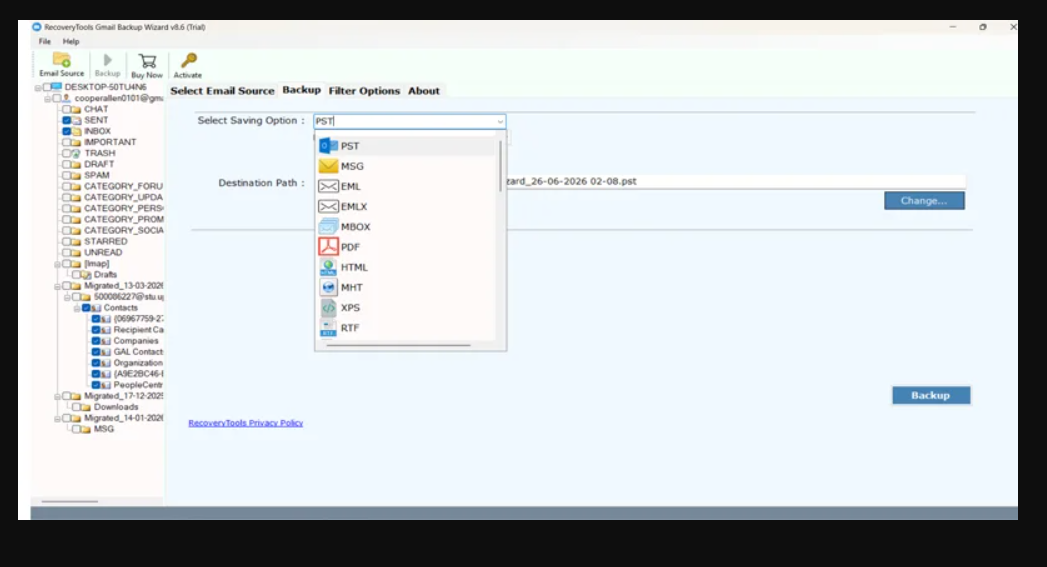
The software also supports various other export formats, including PST, MSG, EML, EMLX, MBOX, HTML, DOC, RTF, and XPS, depending on the selected version and configuration. This flexibility means that PDF can be used for printable records while other formats can be retained for email-client access or migration requirements.
Select Emails Instead of Backing Up the Entire Mailbox
One of the biggest advantages of using a dedicated backup tool is selective backup.
You may not need every email stored in a Google Workspace account. For example, an organization might only need correspondence from January through December for a particular project. Downloading the entire mailbox would unnecessarily increase the size of the backup.
BitRecover provides advanced filtering options that can help narrow the backup according to specific requirements. Users can apply filters based on criteria such as:
- Date range
- Sender
- Recipient
- Subject
- Email folders
- Other supported email filtering criteria
For example, you can specify a particular date range and sender to create a focused archive of emails exchanged with a client. This makes the resulting PDF collection easier to manage and print.
Backup Emails from a Specific Date Range
Date-based filtering is particularly useful when creating printable records.
Suppose your organization needs to preserve all emails related to a project completed between April and September. Rather than downloading the complete mailbox, you can specify the required period and let the software process emails falling within that range.
This feature is useful for:
- Financial-year archiving
- Project documentation
- Employee records
- Customer communication
- Legal documentation
- Audit preparation
- Temporary business projects
By limiting the backup to a defined period, you can reduce unnecessary data and create a more manageable printable archive.
Preserve Important Email Information
When creating a printable backup, saving only the message body may not be enough. Business emails can contain valuable information in their headers, formatting, hyperlinks, inline images, and attachments.
A suitable backup solution should therefore preserve important email characteristics as accurately as possible.
BitRecover is designed to retain important email information during the backup process, including email content, metadata, formatting, attachments, inline elements, hyperlinks, and folder hierarchy, depending on the selected output format.
This can be especially valuable when the PDF is being used as a business record rather than simply as a reference copy.
Backup Attachments Along with Emails
Attachments are often as important as the email itself. A message discussing an invoice, contract, quotation, report, or project document may not be useful if the associated attachment is missing.
When creating a Google Workspace backup, users should therefore consider whether attachments need to be preserved alongside the email data.
BitRecover supports email backup with attachments, helping users maintain the context of important correspondence. This can make the resulting archive more useful for future review and documentation.
How to Backup Google Workspace Email in Printable PDF Format
The process is relatively straightforward when using the BitRecover Google Workspace Backup Tool.
Step 1: Install the Software
Download and install the BitRecover Google Workspace Backup Tool on your Windows computer. Launch the application after installation.
Step 2: Sign In to Google Workspace
Enter the required Google Workspace account credentials and provide the necessary permissions when prompted. For administrator-based requirements, the software also supports suitable options for handling Workspace accounts in bulk.
Step 3: Select Mailbox Data
Choose the mailbox folders containing the emails you want to archive. Depending on your requirements, you can select specific folders rather than processing the entire mailbox.
Step 4: Apply Filters
Use the available filtering options to narrow down the emails. You can use a date range, sender, recipient, subject, or other supported criteria.
For example, you can select emails received between two specific dates from a particular client.
Step 5: Choose PDF as the Output
Select PDF from the available saving formats. PDF is an ideal option when the primary objective is to create a printable or easily shareable email archive.
Step 6: Select a Destination
Choose a folder on your local computer or external storage device where the backup should be saved.
Step 7: Start the Backup
Finally, start the backup process. The software will process the selected Google Workspace emails according to your chosen filters and save them in the selected format.
After completion, you can open the generated PDF files, review the email records, and print the required documents.
Incremental Backup for Recurring Archives
Organizations that regularly create email backups may not want to repeatedly download the same messages.
BitRecover’s Delta/Incremental Backup feature can help with recurring backup requirements by processing newly added or changed data instead of unnecessarily repeating the entire backup process.
For example, if you create a monthly archive, an incremental approach can help reduce duplicate processing and make subsequent backup sessions more efficient.
Batch Backup for Multiple Workspace Accounts
Google Workspace administrators may need to preserve emails from multiple user accounts. Manually printing or exporting each mailbox individually can be extremely time-consuming.
BitRecover supports batch processing, making it more suitable for organizations that need to handle multiple accounts. This can help administrators create structured archives without repeating every step separately for each user.
The tool also provides options for selecting saving locations and managing the resulting backup data, which can be useful when maintaining organized records for different employees, departments, or projects.
Why Choose PDF for Email Archiving?
PDF is one of the most practical formats for printable email records because it is widely supported and easy to share.
Some advantages include:
- Easy to print
- Convenient for offline viewing
- Simple to share
- Suitable for documentation
- Maintains a consistent document layout
- Does not require access to the original Gmail mailbox
However, PDF is primarily useful when the goal is viewing, printing, or documenting email content. If you need to migrate emails to another email client, formats such as PST, EML, MSG, or MBOX may be more appropriate.
Final Thoughts
If you need to backup Google Workspace email in printable format, manually printing individual Gmail messages is not always the most efficient approach. A dedicated backup utility can simplify the process by allowing you to select relevant emails, apply filters, preserve important information, and export the results in a print-friendly format.
The BitRecover Google Workspace Backup Tool offers a practical solution with features such as PDF export, date-range filtering, sender and recipient filters, subject-based filtering, folder selection, attachment preservation, batch processing, multiple output formats, and Delta/Incremental Backup.
Whether you need printable records for business documentation, audits, projects, customer communication, or long-term archiving, BitRecover can help turn Google Workspace email data into an organized local backup that is easier to access, manage, and print.



Leave a Reply