
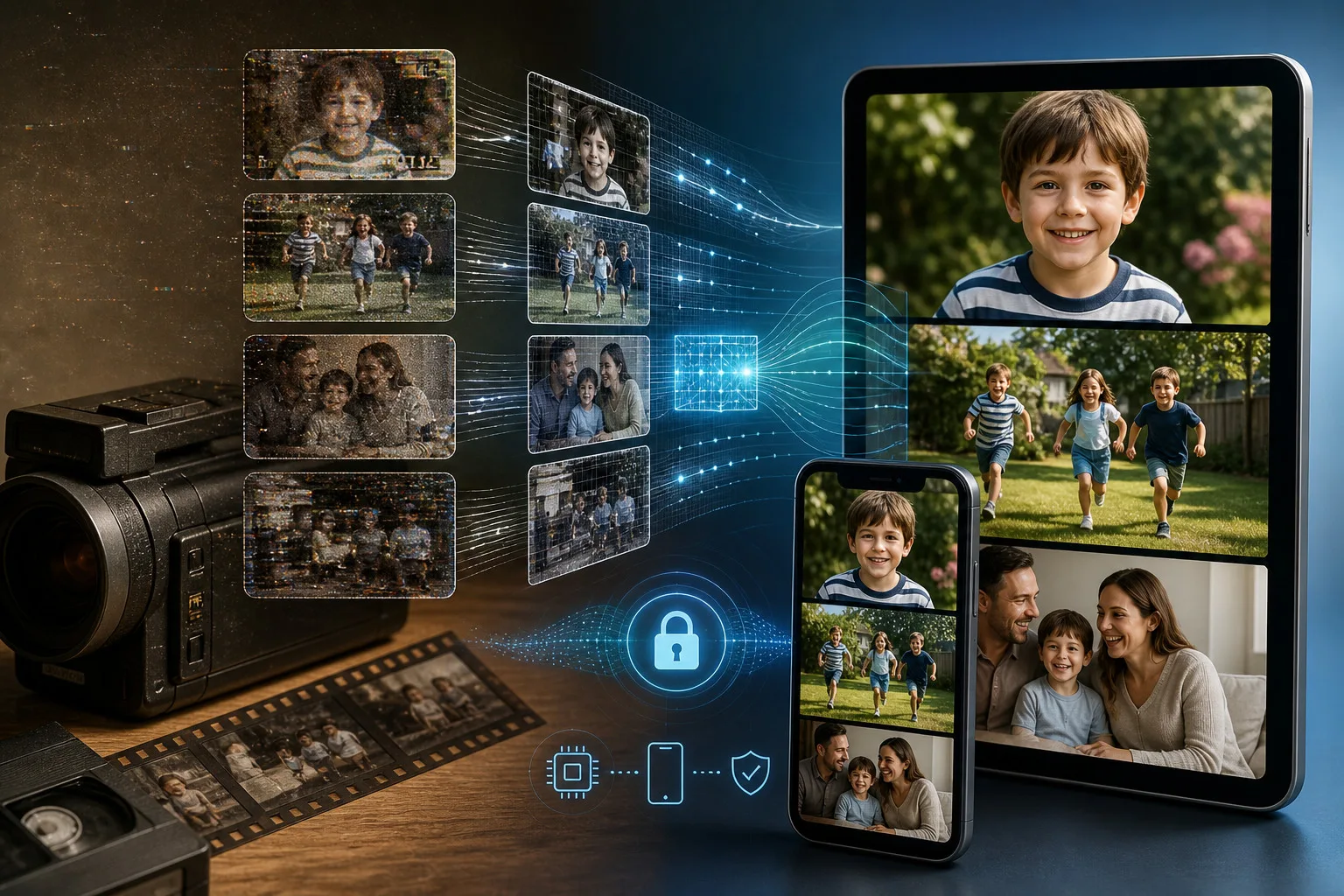
Old videos can hold family memories, important events, and creative work that people still want to enjoy years later. The problem is that older footage often looks rough on modern screens. Low resolution, noise, compression, blur, and faded detail can make a once clear recording difficult to watch. Modern AI technology has made video restoration more practical because software can now analyze frames and make useful improvements without requiring advanced editing skills.
The Problems Hidden Inside Older Footage
Many older recordings were created with cameras that had fewer pixels than today’s phones. Some were stored on formats that introduced compression or lost quality during transfers. Others may have been shared through messaging platforms several times, leaving visible artifacts behind.
A restoration tool can address some of these issues by studying the visual information in each frame. The purpose is not simply to stretch the image. AI models can estimate missing detail, reduce unwanted noise, and rebuild edges. This can help improve video quality while keeping the footage recognizable.
How AI Changed the Restoration Process
Traditional video enhancement often required several manual steps. An editor might resize footage, adjust sharpness, reduce noise, correct color, and export the file separately. Each step could affect the next one, and getting a natural result took patience.
An AI video upscaler can bring several parts of this process together. It examines patterns across frames and applies trained models to estimate how the image should look at a higher resolution. This makes restoration easier for people who do not want to learn complicated editing software. It keeps the workflow simple for beginners.
Understanding Resolution Choices
A higher number of pixels does not automatically mean a better video. Taking a small clip and forcing it into an extremely large format can create a huge file without adding useful detail.
An HD video enhancer can be sensible when the original footage is small or heavily compressed. For better source material, a 4K video enhancer can prepare a clip for modern televisions, monitors, and larger displays.
Choosing a suitable output is more useful than selecting the largest resolution.
Making Faces and Fine Details Look More Natural
Faces, text, hair, and small objects can reveal problems quickly. When an enhancement tool is too aggressive, these areas may look artificial. Edges can become overly sharp, skin can lose natural texture, and background details may appear strange.
Modern restoration tools aim to make a video clearer without making it look heavily processed. This is one reason preview and comparison features matter. Users can inspect the result before deciding whether to keep the enhanced version.
Video Upscaler 16K provides several processing technologies for different needs. Its options include Apple SuperRes, MetalFX, BSRGAN, and RealESRGAN. Having multiple approaches can be useful because a short social clip and an old family recording may need different treatment.
Why Processing Speed Matters
Restoration can be demanding because the video contains many frames. Modern devices have powerful processors and graphics hardware, making advanced local processing possible.
Users who want to enhance video quality can work with footage without moving it between several programs. A simpler workflow also reduces the chance of exporting an unsuitable format.
The Growing Role of On-Device Processing
Privacy is another reason modern AI restoration has become easier to use. People often have personal recordings that they do not want to upload to a third party.
With on-device video upscaling, compatible devices can process footage locally. This can reduce dependence on cloud servers and avoid the need to upload large files before restoration begins.
Video Upscaler 16K uses this approach on supported Apple devices. For people looking for private video enhancement, local processing can be useful when working with family recordings, client footage, or unreleased creative projects.
Restoring Videos Directly From an iPhone
Mobile restoration is now much more convenient than it used to be. Instead of transferring an old clip to a computer, opening professional editing software, and learning a complicated workflow, users can upscale video on iPhone with a dedicated tool.
A mobile workflow is useful when someone discovers an old recording and wants to improve it immediately.
Before processing, keep the original file. That gives you a reference and ensures you can return to the untouched footage whenever needed.
When AI Restoration Works Best
AI restoration is particularly useful when the source has enough information to analyze. Mild blur, compression, low resolution, and visible noise can often be improved. Old recordings that have been stored carefully may respond better than files that have been repeatedly compressed.
The process is also useful for creators who want to reuse older footage. A clip that looked acceptable on an older phone may need improvement before it fits a current project. Restoring it can save time compared with trying to recreate a moment that cannot be recorded again.
What Users Should Expect From Modern Restoration
AI should be treated as a restoration assistant, not a magic repair system. It can estimate details, but it cannot perfectly recover information that was never captured. This matters when working with extremely blurry or damaged footage.
The best approach is to start with the highest quality source available, choose a reasonable output resolution, and compare the finished result with the original. Look closely at faces, edges, text, and moving subjects. If these areas look natural, the restoration is likely doing useful work.
Video Upscaler 16K combines enhancement, conversion, and restoration options in one mobile workflow. Users can try different settings while keeping the original footage available for comparison.
Why Modern AI Makes Old Footage More Valuable
Digital memories become more valuable as time passes. A recording may contain a person, place, or event that cannot be recreated. Improving its appearance can make it easier to share with family or preserve for future viewing.
Modern AI has reduced technical barriers that once made restoration a specialist task. Users can select a clip, choose a process, preview the result, and export a better version.
Conclusion
Video restoration has become easier because AI can handle parts of the process that previously required more manual work. Resolution improvement, noise reduction, detail recovery, and local processing can now be combined in mobile tools.
The most useful restoration is not necessarily the one that produces the largest file. It is the one that makes important footage easier to watch while preserving its original character. By choosing suitable settings and checking the result carefully, users can give older recordings a new place on modern devices.






Leave a Reply