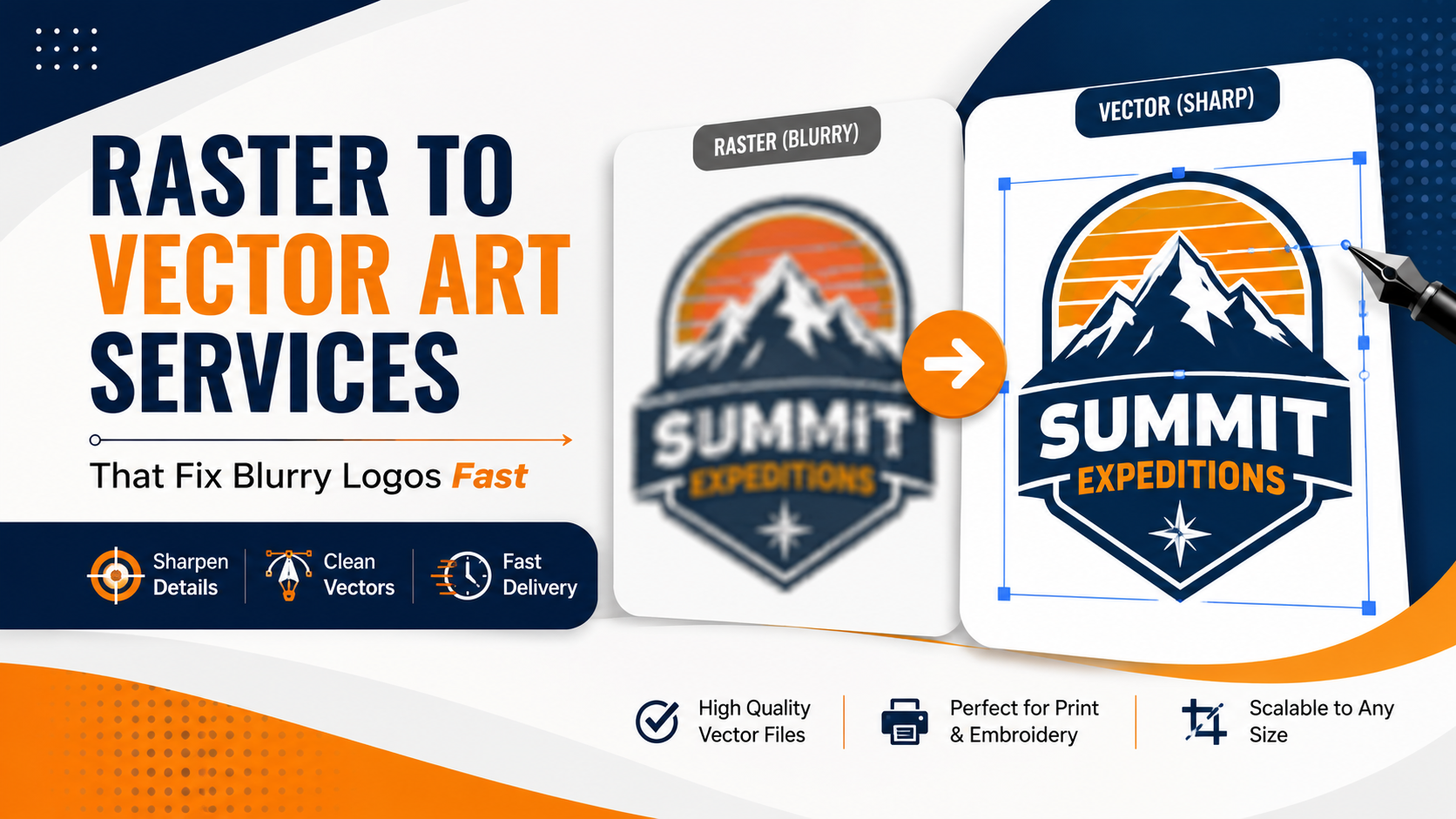
Raster to vector art services convert a pixel-based image, like a JPG or PNG, into a scalable file built from clean paths and shapes. Raster to vector art services solve blur permanently because the new file recalculates clean lines at any size instead of stretching a fixed number of pixels. You can compare real conversion quality on the best raster to vector art services page before sending your own logo in for a fix.
Understanding the difference between these two file types explains why one blurs and the other never does. That difference is exactly why so many business owners search for a vector art conversion service the moment they notice their logo looking fuzzy on a new sign or shirt.
That technical difference is exactly what shaped how IDigitize approaches every conversion. In my experience, most people do not realize their logo is a raster file until it fails them on a large print job, and the fix becomes obvious once they understand how vector files actually work. IDigitize handles this conversion by hand, so the fix holds up permanently.
What Is the Difference Between Raster and Vector Images?
A raster image is built from a fixed grid of pixels, while a vector image is built from mathematical paths and shapes that can scale to any size. This is the core reason raster images blur when enlarged and vector images never do. Photos, screenshots, and most web images are raster files, while logos meant for large printing need to be vector files instead.
Why Raster Files Cause Problems
You may notice raster files cause trouble in these common situations:
- A logo saved only as a small web image years ago
- A screenshot used in place of an original design file
- An old scanned document or printed business card
- A social media profile picture used as the main logo file
- Any image stretched far beyond its original size
Here is why it matters: once a logo only exists as a raster file, it will blur every single time someone tries to use it at a larger size.
How Raster to Vector Conversion Actually Works
Raster to vector conversion rebuilds the image using clean, scalable paths instead of the original pixels. A trained artist studies the raster file, traces the important shapes by hand, and matches colors closely to the original design. Digitizing service for embroidery work and print-based vector work both start from this same core process, though the final settings differ based on use case.
The Manual Tracing Process Explained
Let’s look at how a proper conversion typically happens:
- The artist studies the raster image to identify shapes, colors, and edges
- Paths and anchor points are built by hand around each shape
- Small details, like thin lines or text, get carefully preserved
- Colors are matched as closely as possible to the original file
- The finished vector file is tested at both small and large sizes
Why Manual Conversion Beats Automatic Tracing
Automatic tracing tools guess at shapes based on pixel patterns, which often creates rough edges or missing details. Reliable art vectorization services rely on a trained eye to catch problems that automatic software misses completely, especially around curves, thin lines, and small text.
Raster to Vector Conversion for Different Project Types
Different final uses need slightly different handling once a raster image becomes a vector file.
Converting Logos for Print and Signage
Large format printing shows every flaw immediately, so vector art conversion services built for signage need careful attention to fine lines and small details that must stay sharp at large sizes.
Converting Photos Into Vector Art
Reliable vector art services for photo conversion take more time than logo work, since photos contain shading and depth that must be rebuilt using flat shapes and paths.
Converting Art for Embroidery
Providers offering embroidery digitizing & vector art services in the USA understand that stitched fabric has different limits than print, so thin lines and tiny text often need simplifying before the design can be digitized.
Step by Step Guide to Fixing a Blurry Logo
Here is a simple step-by-step path using online vector art conversion services to fix a raster logo for good.
- Find the best available copy of your current logo file
- Send it to a provider experienced in raster-to-vector conversion
- Confirm your final use case: print, apparel, or embroidery
- Review the proof carefully before approving the final file
- Save the finished vector file for every future project
That’s why many designers recommend choosing a single provider for embroidery digitizing and vector art services USA, since one team already understands your brand across every format.
Why IDigitize Is Trusted for Raster to Vector Conversion
IDigitize rebuilds raster logos into clean vector files by hand, which keeps small details and colors accurate across every size. This hands-on process is why the fix holds up permanently instead of needing to be redone later.
Final Thoughts
Understanding how raster to vector conversion works makes it clear why this is the permanent fix for blurry logos. IDigitize was built around this exact process, rebuilding tired, pixelated files into clean vector art that holds up at any size.
A trusted raster to vector art services partner solves this problem once, saving you from repeated frustration every time a new project comes up. Once your logo exists as a proper vector file, the blur problem becomes something you never have to think about again.
Frequently Asked Questions
What is the difference between raster and vector images?
Raster images are built from pixels and blur when enlarged, while vector images are built from paths that stay sharp at any size.
Can any raster image be converted into a vector file?
Yes, a skilled artist can rebuild most raster images into a clean vector file, though photos take more time than simple logos.
Why do automatic vector tools produce rough results?
Automatic tools guess at shapes based on pixel patterns, which often creates rough edges or missing fine details.
How long does raster to vector conversion usually take?
Most standard logo conversions are completed within 24 to 48 hours, depending on design complexity.
Does raster to vector conversion fix blurry logos permanently?
Yes, once a logo exists as a vector file, it scales cleanly to any size and never blurs again.




Leave a Reply