

Online videos have become part of everyday life. People watch tutorials, educational videos, music content, interviews, and entertainment clips on different devices. Sometimes, they may want to save a video or audio file for offline access. This is where an online YouTube downloader can be useful.
However, not every online downloading tool offers the same experience. Some tools have confusing interfaces, limited format options, or too many advertisements. Before choosing a platform, it is worth checking a few important things to make sure it is easy and convenient to use.
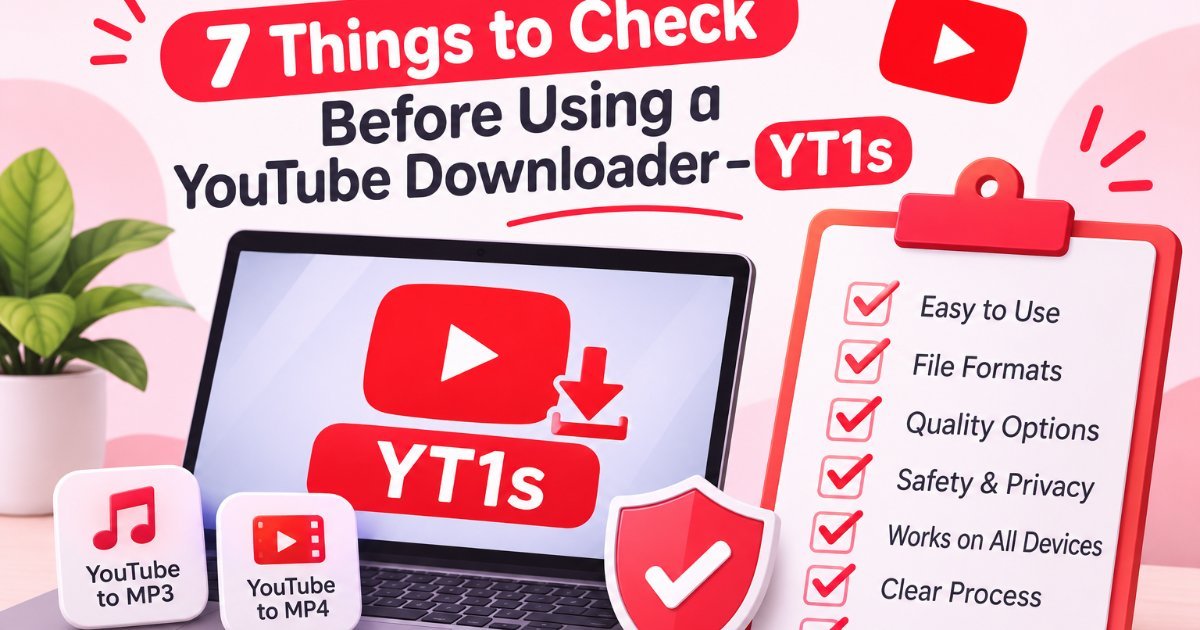
Here are seven things to consider before using an online YouTube downloader.
1. Check Whether the Website Is Easy to Use
A good online tool should make the process simple. Users should not have to visit multiple pages or follow complicated instructions just to understand how it works. A clean layout, clearly visible buttons, and easy navigation can make the experience much better. It also helps first-time users complete their tasks without confusion or wasting extra time.
2. Look for Different File Format Options
Different users have different needs. Some prefer audio files for listening, while others want video files for watching later.
For example, a YouTube to MP3 converter is useful when someone needs an audio file, while a YouTube to MP4 option is more suitable when the video itself is important.
Before using a tool, check which formats it supports. Having suitable format options makes it easier to choose the file that works with your device and purpose.
3. Pay Attention to Audio and Video Quality
Quality is another important factor when choosing an online downloader. Nobody wants an audio file that sounds unclear or a video that looks blurry.
For audio, check whether the platform offers different bitrate options, such as 128 kbps, 192 kbps, or 320 kbps. Higher bitrates can preserve more audio detail, although the source quality also matters.
For video, look for available resolution options such as 360p, 720p, 1080p, or higher when supported. Remember that final quality depends on the original video and the available source.
4. Check Website Safety and Privacy
Website safety should never be ignored. Before using an online YouTube downloader, check whether the website uses HTTPS and has a clear privacy policy.
Be careful with websites that ask for unnecessary personal details, request unknown software installations, or display suspicious pop-ups. A basic online conversion tool should not need access to sensitive information.
It is also a good idea to avoid clicking unfamiliar advertisements or downloading files from untrusted sources.
5. Make Sure It Works on Different Devices
People use different devices to access online tools. Some prefer desktop computers, while others use smartphones or tablets.
A useful downloader should have a responsive website that adjusts to different screen sizes. Buttons should be easy to tap, text should be readable, and the main features should work properly on mobile screens.
Before choosing a platform, check whether it provides a smooth browsing experience on your preferred device.
6. Understand the Conversion and Download Process
A complicated process can make even a useful tool frustrating. Look for a website that explains its steps clearly.
A typical conversion process may include:
- Copying the link of the supported video.
- Pasting the link into the website’s input box.
- Selecting an available format and quality.
- Starting the conversion and downloading the resulting file.
Clear instructions help users understand what to do without wasting time. Also, check whether the website explains any file size or format limitations.
7. Read the Website’s Terms and Usage Guidelines
Before using any online downloader, take a moment to understand its terms and conditions. Not all online videos are free to download or reuse.
Copyright rules and platform terms may restrict downloading certain content. Always respect content creators’ rights, and use downloading tools only for content you own, have permission to download, or are otherwise legally allowed to save.
Understanding these guidelines can help users avoid copyright issues and make responsible choices.
What Is YT1s?
YT1s is an online platform designed to help users convert supported YouTube video links into different audio and video formats. It is commonly associated with YouTube downloader tools, especially YouTube to MP3 and YouTube to MP4 conversion.
The platform offers a simple process that allows users to paste a video link, choose an available format, and start the conversion. For people who need audio, the YouTube to MP3 option provides an MP3 format. Those who want to keep the video can choose an available MP4 option.
YouTube Downloader also provides different quality settings, depending on the source video and supported formats. Its straightforward interface makes it easier for users to understand the conversion process without dealing with complicated steps.
Like any online downloader, users should follow applicable copyright rules and YouTube’s terms of service. They should only download content they own or have permission to use.
Why Choosing the Right Online Downloader Matters
Choosing an appropriate online tool can make a big difference in the overall experience. A simple interface, useful format options, good quality settings, and clear privacy information can make a platform more convenient.
For people looking for a straightforward conversion experience, YT1s is one platform worth considering. It provides options for YouTube to MP3 and YouTube to MP4 conversion, along with different quality settings and a simple three-step process.
Whether someone needs an audio format for listening or a video format for viewing, it is important to understand the available options before using any service.
Final Thoughts
An online YouTube downloader should be simple, reliable, and easy to understand. Before choosing one, check its interface, supported formats, quality options, privacy practices, device compatibility, conversion process, and usage guidelines.
Taking a little time to review these seven points can help you make a better decision and avoid common problems. Most importantly, always use online tools responsibly and respect content ownership.

Leave a Reply