

Step-by-Step Guide: How to Install Django on CentOS
Django is a high-level Python web framework that simplifies the process of building robust web applications. If you’re using CentOS as your operating system, this step-by-step guide will walk you through the process of installing Django and setting up a development environment.
Step 1: Update System Packages
Before installing any software, it’s essential to ensure that your CentOS system is up to date. Open a terminal and run the following command:
sudo yum updateStep 2: Install Python and pip
Django requires Python to be installed on your system. Execute the following command to install Python and pip (Python package installer):
sudo yum install python3 python3-pipStep 3: Create a Virtual Environment
Creating a virtual environment is a best practice for isolating your Django project’s dependencies. Change to your desired project directory and create a new virtual environment by running the following command:
python3 -m venv myenvReplace “myenv” with the name you prefer for your virtual environment.
Step 4: Activate the Virtual Environment
Activate the virtual environment by executing the appropriate command based on your shell:
For Bash or Zsh:
source myenv/bin/activateFor Fish:
source myenv/bin/activate.fishStep 5: Install Django
With the virtual environment activated, you can now install Django using pip:
pip install djangoThis command will install the latest stable version of Django.
Step 6: Verify the Installation
To verify that Django is installed correctly, run the following command:
django-admin --versionIf Django is installed successfully, it will display the version number.
Step 7: Start a New Django Project
Navigate to your desired project directory and create a new Django project using the following command:
django-admin startproject myprojectReplace “myproject” with the name you prefer for your Django project.
Step 8: Run the Development Server
Change into the project directory:
cd myprojectStart the development server by executing the following command:
python manage.py runserverBy default, the development server will run on http://127.0.0.1:8000/.
Step 9: Access Your Django Application
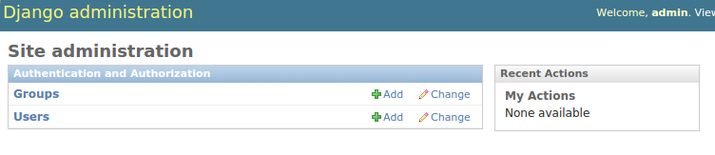
Open a web browser and enter http://127.0.0.1:8000/ in the address bar. You should see the default Django welcome page, indicating that your Django installation is successful.
Conclusion:
Congratulations! You have successfully installed Django on your CentOS system and set up a development environment. You can now start building powerful web applications using the Django framework. Take advantage of Django’s extensive features and documentation to create dynamic and scalable projects.





Leave a Reply