
Release overview: Build 26220.7523 arrives in Dev & Beta
Microsoft has released Windows 11 Insider Preview Build 26220.7523 (KB5072043) to the Dev and Beta Channels for PCs on Windows 11, version 25H2, continuing its current approach of shipping the same build to both channels.
The update is notable for two reasons:
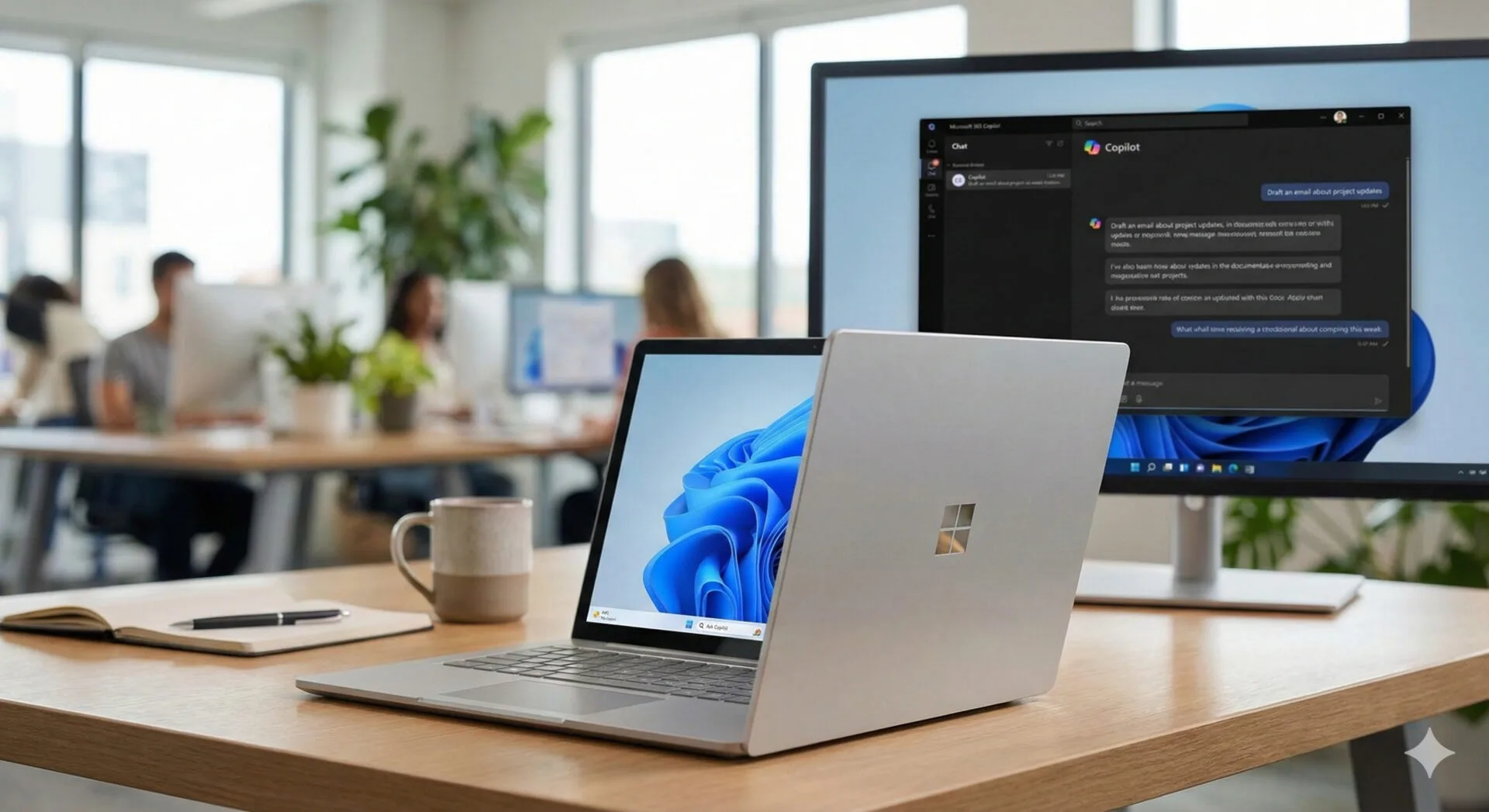
- It further embeds Microsoft 365 Copilot into the Windows shell via a new Ask Copilot on the taskbar experience for commercial customers.
- It broadens Windows’ agent story with taskbar agent progress and a developer-facing framework called Agent Launchers.
Microsoft says features and fixes are being delivered in two tracks:
- A gradual rollout for Insiders who enable the toggle to get the latest updates as they’re available (via Settings > Windows Update).
- A broader rollout to everyone in the Dev & Beta Channels.
A limited window to switch channels
Because Dev and Beta are currently receiving the same 25H2-based updates, Microsoft is again highlighting a practical consequence: Dev Channel users have a temporary window to switch to the Beta Channel.
That window remains open only while both channels are aligned on the same build series. Once the Dev Channel moves ahead to a higher build number, switching will close. Microsoft also cautions that when Dev jumps forward, builds may become less stable than they are during this aligned period.
Ask Copilot on the taskbar: commercial rollout begins
Microsoft is beginning a gradual rollout of Ask Copilot on the taskbar tailored for commercial customers in the United States who have Microsoft 365 Copilot licenses. The feature was previously introduced for consumer customers in an earlier Dev/Beta build.
Ask Copilot is positioned as a unified entry point that connects:
- Microsoft 365 Copilot
- AI agents
- Search
Microsoft’s pitch is that it makes Copilot and agents feel more like a native part of daily Windows usage—turning quick lookups and actions into a single, taskbar-level workflow.
What it enables
Key capabilities highlighted in this build include:
- One-click taskbar access for voice or text, designed to be the most integrated way for commercial users to engage with Copilot.
- Agent invocation from the Ask Copilot surface, using a tools button or by typing “@”.
- A streamlined search experience with faster results and a refreshed design for finding apps, files, and settings.
How to enable it
Microsoft says the experience can be enabled from:
- Settings > Personalization > Taskbar > Ask Copilot
Privacy and system access
Microsoft states that Ask Copilot uses existing Windows APIs to return apps, files, and settings—similar to Windows Search—and does not grant Copilot access to personal content by default. For organizations evaluating rollout, this distinction will matter: the feature is framed as an entry point that can surface system results without automatically expanding Copilot’s access footprint.
For official product details, see Microsoft 365 Copilot.
Where to send feedback
Microsoft directs feedback to:
- Feedback Hub (WIN + F) > Desktop Environment > Ask Copilot in taskbar
Agents on the taskbar: progress without breaking flow
Build 26220.7523 also begins rolling out a new way to track agent progress directly from the taskbar. The example Microsoft uses is Researcher in Microsoft 365 Copilot, which can generate reports in the background.
The goal: let users keep working while an agent runs, then return when it’s ready.
What’s new
Microsoft describes two related experiences:
- Taskbar presence for agent tasks, allowing users to monitor progress.
- A hover experience under test, where hovering over the Copilot or Researcher icon shows real-time reasoning updates.
When the task completes, users should see:
- A notification
- A taskbar state indicating completion
Clicking either takes the user back to Microsoft 365 to review the output.
UI experimentation
Microsoft says it is experimenting with how agent tasks appear:
- Grouped with the Copilot taskbar icon, or
- Shown as a separate Researcher icon
This suggests the company is still evaluating the right balance between visibility and clutter—an ongoing tension for taskbar design.
Agent Launchers: a new framework for discoverable AI agents
Alongside user-facing agent features, Microsoft is introducing Agent Launchers, a Windows framework that lets apps register AI agents and make them discoverable across the system.
In practice, Agent Launchers aims to standardize how:
- Apps expose interactive agent experiences
- Windows (and other apps) can find and invoke those agents
- Agents launch into their chat UI to collaborate with the user
Microsoft describes agents as active, contextual collaborators that can ask clarifying questions and take actions.
How Microsoft 365 Copilot uses it
Microsoft says Microsoft 365 Copilot is already using Agent Launchers to register agents such as:
- Analyst (insights from data)
- Researcher (detailed reports)
Registration models
Developers can register agents:
- Statically at install time, or
- Dynamically at runtime
The dynamic approach is designed to handle conditions like authentication state, subscriptions, or policy controls—important for enterprise app scenarios.
Documentation is available at Microsoft Learn: Agent Launchers.
Feedback channel
Microsoft requests developer feedback via:
- Feedback Hub (WIN + F) > Developer Platform > App Actions on Windows
Accessibility: Narrator announcement personalization
A major accessibility addition in this build is the ability to personalize what Narrator announces when navigating UI elements.
Windows apps are composed of different control types (buttons, links, sliders, text fields) with properties such as name, role, state, and values. Narrator traditionally reads these in a fixed pattern; now, users can choose which properties are spoken and reorder them.
How it works
Users can open the customization experience with:
- Narrator key + Ctrl + P
From there, they can:
- Select or unselect announced properties
- Reorder the spoken elements
- Preview how the announcement will sound
- Reset to defaults if needed
Natural language input (Copilot+ PCs)
Microsoft says Copilot+ PCs get an additional convenience: a natural language input box to speed up configuration. Example requests include:
- “Don’t announce the selection info or position info.”
Notably, Microsoft says these changes apply to that control type throughout the app currently in use, which implies the setting is scoped per-app rather than a universal global override in its initial form.
Feedback channel
- Feedback Hub (WIN + F) > Accessibility > Narrator
Input: voice typing UI gets less intrusive
Microsoft is updating the voice typing experience when used with the touch keyboard. Previously, pressing dictation could trigger a full-screen overlay. The new UI removes that overlay and instead shows voice typing animations directly on the dictation key.
The change is designed to reduce visual disruption—particularly relevant for tablet users or anyone dictating while referencing on-screen content.
Feedback channel
- Feedback Hub (WIN + F) > Input and Language > Voice Typing (Windows key plus H)
Widgets: new “Discover Windows” tips widget
Build 26220.7523 introduces a new Discover Windows widget. Microsoft positions it as a lightweight way to learn Windows features via short, contextual tips.
What it shows
- Quick, actionable tips from the Windows Tips website
- Tips that update throughout the day to match common usage moments (shortcuts, productivity, security reminders)
Where can it live
- Widgets Board: Widgets Board > Add widgets > Discover
- Lock screen: Settings > Personalization > Lock screen > add Discover to lock screen widgets
Microsoft emphasizes that it can be removed or ignored at any time and is being tested with Insiders first before broader rollout.
Feedback channel
- Feedback Hub (WIN + F) > Desktop Environment > Widgets
Settings Agent expands language support
Microsoft continues expanding language support for the Agent in Settings experience.
Previously supported:
- English: en-gb, en-us
- French: fr-fr, fr-ca
Newly supported in this release:
- German: de-de
- Portuguese: pt-br, pt-pt
- Spanish: es-es, es-mx
- Korean: ko-kr
- Japanese: ja-jp
- Hindi: hi-in
- Italian: it-it
- Chinese (Simplified): zh-cn
This expansion is a meaningful step for broader enterprise readiness, particularly as Microsoft pushes agent-based experiences deeper into system surfaces.
Click to Do: Microsoft 365 Copilot prompt box support
Microsoft says the Copilot prompt box in Click to Do now supports Microsoft 365 Copilot. The workflow is described as:
- Select screen content
- Type a custom prompt
- Send the prompt and selected content to Microsoft 365 Copilot
Microsoft notes a regional limitation: the change is not yet rolling out to Windows Insiders in the EEA or China.
Keyboard layouts: AltGr enabled for Arabic 101 (and updates for others)
For multilingual input and regional keyboard users, Microsoft is enabling the AltGr layer for the Arabic 101 keyboard layout.
Details:
- Left Alt continues to work as before
- Right Alt becomes AltGr to access additional symbols
- First highlighted mapping: Saudi Riyal symbol via AltGr + S
Microsoft also notes similar updates for:
- Arabic 102
- Arabic 102 AZERTY
Users who switch languages with Alt + Shift can continue using:
- Left Alt + Shift, or
- Windows logo key + Space
Voice Access: streamlined setup flow
Microsoft is introducing a redesigned setup flow for Voice Access with an emphasis on getting started faster.
The updated flow aims to:
- Download the correct speech model for the chosen language
- Select a preferred microphone
- Highlight what Voice Access can do
Taskbar: rollout pause for new animations
Microsoft says it is temporarily stopping the rollout of new animations when sliding between open apps on the taskbar to investigate issues.
For Insiders, this is a reminder that even small UI polish changes can have performance or reliability regressions—especially when they touch core shell components.
What to watch next
Build 26220.7523 continues Microsoft’s multi-pronged push to make Windows a more agent-capable platform:
- For end users, the emphasis is on taskbar-level entry points (Ask Copilot) and background progress (Agents on the taskbar).
- For developers and IT, Agent Launchers is the more strategic move—signaling Microsoft’s intent to make agents a first-class concept that can be registered, discovered, and invoked consistently.
As the Dev and Beta Channels remain aligned for now, the channel-switch window is also a practical decision point for testers: staying in Dev may bring earlier access to bigger changes once the build numbers diverge, while Beta may offer a steadier path as 25H2 matures.
Official links
- Official announcement: Windows Insider Program
- Product info: Windows 11
- Copilot for work: Microsoft 365 Copilot
- Developer docs: Agent Launchers on Microsoft Learn
Source: Read Original Article



Leave a Reply